
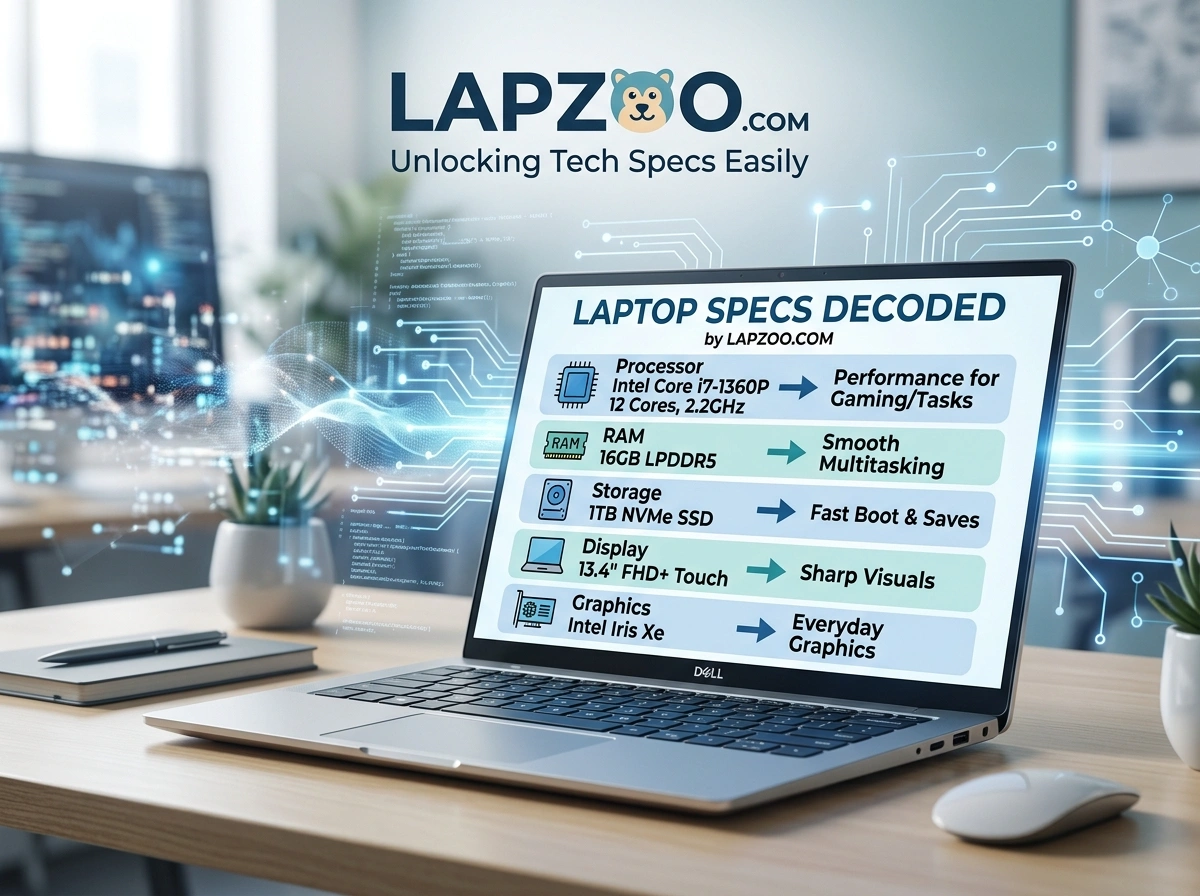
Shopping for a laptop should feel exciting. Instead, it often feels like reading a foreign language. Core i7, 16GB DDR5, RTX 4060, NVMe SSD, 2560 x 1600 — what does any of that actually mean for you?
You’re not alone. Millions of American shoppers stare at spec sheets and walk away more confused than when they started. The good news? You don’t need a computer science degree to make a smart choice. You just need plain explanations and clear comparisons.
In this guide, you’ll learn why laptop specs feel so confusing, what the key terms actually mean, and how Lapzoo.com helps you cut through the noise so you can buy with confidence.
Why Laptop Specs Confuse Everyday Buyers
Laptop marketing has a jargon problem. Manufacturers list dozens of numbers and acronyms, but they rarely explain what those details mean for real-world use.
Here’s why so many buyers feel stuck:
- Too many models. A single brand might sell 40+ configurations, and the differences aren’t obvious.
- Inconsistent naming. “Pro,” “Plus,” and “Max” labels mean different things across brands.
- Numbers without context. A higher number isn’t always better for your specific needs.
- Fast-changing tech. New chips and standards launch every year, making last year’s advice outdated.
The result is decision fatigue. You spend hours researching, then either overspend on power you’ll never use or buy something too weak for your daily tasks. Both outcomes hurt, especially when budgets are tight.
The Laptop Specs That Actually Matter
Before you compare any two laptops, it helps to understand the core components. Here’s a plain-English breakdown of the terms that shape your experience.
CPU (Processor): The Brain
The CPU handles nearly everything your laptop does. You’ll see names like Intel Core i5/i7, AMD Ryzen 5/7, or Apple’s M-series chips.
- For browsing and office work: A Core i5 or Ryzen 5 is plenty.
- For video editing or heavy multitasking: Aim for a Core i7, Ryzen 7, or Apple M3/M4.
More cores and higher clock speeds generally mean faster performance, but the right chip depends on your tasks.
RAM (Memory): Your Multitasking Power
RAM lets your laptop juggle multiple programs at once. Think of it as your desk space — more room means you can spread out more work.
- 8GB: Fine for light use and basic browsing.
- 16GB: The sweet spot for most people in 2026.
- 32GB+: Best for creators, developers, and serious gamers.
Storage: Where Your Files Live
Two things matter here: type and size.
- SSD vs. HDD: Solid-state drives (SSDs) are far faster than old hard drives (HDDs). An NVMe SSD is the quickest option.
- Capacity: 256GB is tight, 512GB is comfortable, and 1TB gives you breathing room.
Speed affects how fast your laptop boots and loads apps, so prioritize an SSD.
GPU (Graphics): For Visuals and Gaming
The GPU handles graphics. Integrated graphics (built into the CPU) work fine for everyday tasks. A dedicated GPU, like an NVIDIA RTX series card, matters for gaming, 3D work, and video rendering.
If you only browse and stream, you don’t need to pay extra for a powerful GPU.
Display Resolution and Quality
Resolution describes how sharp your screen looks.
- 1920 x 1080 (Full HD): Crisp and standard for most users.
- 2560 x 1600 (QHD) and 4K: Sharper detail for designers and media lovers.
Also consider brightness (measured in nits), refresh rate (smoothness, key for gamers), and panel type (IPS or OLED for better color).
Battery and Portability
A lightweight laptop with long battery life is gold if you travel or work from coffee shops. Look at watt-hours (Wh) and real-world reviews rather than marketing claims.
Quick takeaway: Each spec ties to a specific need. The trick is matching specs to your tasks — not chasing the biggest numbers.
How Lapzoo.com Simplifies the Whole Process
This is where the right resource changes everything. Instead of decoding spec sheets alone, you can lean on a platform built to translate the tech into plain advice. That’s exactly what lapzoo.com does.
Here’s how it helps you decide faster.
Easy-to-Understand Buying Guides
Rather than burying you in jargon, the guides explain what each spec means in everyday terms. You learn what to prioritize based on how you use a laptop — whether that’s gaming in Texas, remote work in California, or college study in New York.
The content meets you where you are. Beginners get clear definitions, while experienced buyers get deeper detail when they want it.
Side-by-Side Comparisons
Comparing two laptops manually is exhausting. Lapzoo lays out the differences clearly, so you can see how models stack up on performance, price, and value at a glance.
This saves hours of cross-checking spec sheets across different retailer websites.
Tailored Recommendations
Not everyone needs the same machine. The recommendations consider real-world use cases:
- Students who need affordability and battery life.
- Creators who need strong CPUs, GPUs, and color-accurate displays.
- Remote workers who want reliability and portability.
- Gamers who need high refresh rates and dedicated graphics.
You get suggestions that fit your budget and lifestyle, not a generic “best laptop” list.
Confidence Before You Buy
The biggest benefit? Peace of mind. When you understand what you’re paying for, you stop second-guessing your decision. You avoid overspending and dodge the regret of buying the wrong machine.
Quick takeaway: A trusted guide turns a confusing purchase into a clear, fast decision.
Common Mistakes to Avoid When Buying a Laptop
Even smart shoppers slip up. Watch out for these traps:
- Chasing the highest specs. More power costs more money and may go unused.
- Ignoring the SSD. A slow hard drive can make even a powerful laptop feel sluggish.
- Skipping battery research. A great screen means little if it dies by lunch.
- Forgetting future needs. Buy slightly more RAM than you need today to extend the laptop’s life.
- Trusting marketing labels alone. Always check the actual specs behind the “Pro” badge.
Avoiding these mistakes alone can save you hundreds of dollars.
Best Practices for a Smart Purchase
Use this simple checklist before you click “buy”:
- Define your main use first (work, school, gaming, or creative).
- Set a realistic budget and stick to it.
- Match specs to tasks, not to hype.
- Read real comparisons rather than single product pages.
- Prioritize SSD storage and 16GB of RAM for everyday longevity.
Start with your needs, then let the specs follow.
Frequently Asked Questions
How much RAM do I really need?
For most people in 2026, 16GB hits the sweet spot. Light users can manage with 8GB, while creators and gamers benefit from 32GB.
Is an SSD worth it?
Absolutely. An SSD dramatically improves boot times and app loading. Choose an NVMe SSD when possible.
Do I need a dedicated GPU?
Only if you game, edit video, or do 3D work. For browsing and office tasks, integrated graphics are fine.
How can I compare laptops quickly?
Use a resource that lays out specs side by side and explains them in plain language, so you skip the manual research.
Key Takeaways
- Laptop specs feel confusing because of jargon, too many models, and missing context.
- The core specs that matter are CPU, RAM, storage, GPU, and display.
- Match specs to your real needs instead of chasing the biggest numbers.
- Avoid common traps like ignoring the SSD or overspending on power.
- A clear guide makes buying faster and far less stressful.
Conclusion
Buying a laptop doesn’t have to feel like a guessing game. Once you understand a handful of key specs and how they map to your daily tasks, the whole process gets easier. You spend less, choose smarter, and avoid buyer’s remorse.
The fastest path to clarity is a resource that does the translating for you. With easy guides, honest comparisons, and recommendations built around real use cases, you can decode confusing specs in minutes instead of hours.
Your next step: Visit lapzoo.com, find the guide that matches your needs, and shortlist your top laptop today.